Job Giver/Company Profile (Dashboard)
| Area | Job giver |
|---|---|
| Epic | Type /Jira to add Jira epics and issues |
| Document status | DRAFT |
| Document owner | Andrej Drinovsky |
🎯 Objective
Enable Job Giver to maintain all important company profile data in one place.
Success metrics
| Goal | Metric |
|---|---|
| Provide an effective and user-friendly space for Job Giver to maintain all important data about their company. | - The completion rate of all profile fields |
Assumptions
The key user for the purpose of this feature is Job Giver’s employee who acts as an Admin for the PW platform. Often, this will be a Recruitment Professional. It is good to keep in mind that such professionals are probably used to “overstating” their company’s attractiveness. The design of the Company Dashboard feature and the data entry process should help counter such potential tendencies, esp. by as much automation as possible.
Requirements
| Requirement | User Story | Importance | Jira Issue | Notes |
|---|---|---|---|---|
| Company Dashboard is one of the top items on Job Giver’s home (landing) screen. | As Job Giver, after login, I will see my home screen where I can easily locate the button that enables me to view and edit my Company Dashboard | Alternatively, the Company Dashboard is the default landing screen. | ||
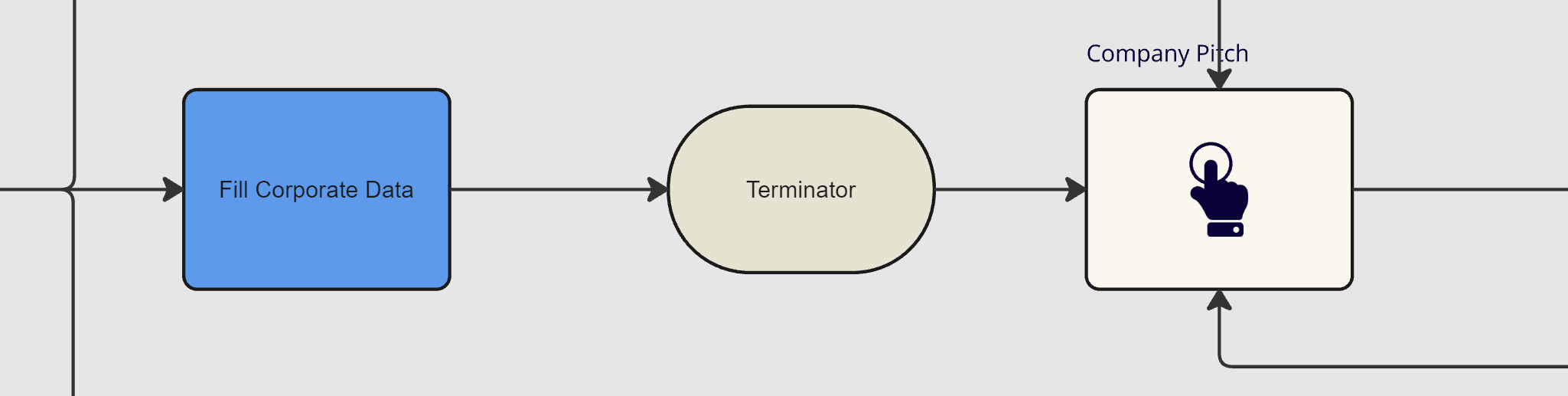
| All data fields that are linked to the Company Dashboard are visible and editable on one screen (scrollable) | As Job Giver, after clicking on “Company Dashboard” on my home screen, I can view all Company Dashboard-related information fields on one dedicated screen: Company’s basic profile: - Company Name & Logo - Company Perimeter - Company business description & size - High-level company structure - Company revenue and profitability - Web homepage link Company’s IKIGAI elements: - Mission and Purpose - Culture and Values - Unique Competence - Special Client-Focus - Employee benefits - Development & growth opportunities - Strategy & Vision - Success Metrics - DEI Learning Resources and Recommendations (can be proprietary and/or provided by third-party): - Development programs - Certification training - Video-explanations - E-learning modules Social Resources and Support: - Company contacts - Company’s PW communities - Live Chat - Rating Testimonials & Fora - Virtual Open Days Job Opportunities: - Vacancies - Current campaigns - Live streams - Minimum requirements all candidates must meet - Selection procedures | As much as possible, the Company Dashboard data will be automatically pre-populated from public sources using AI. If not, the data must be entered by Company Admin. Based on the chosen design template, not all of the data items entered may be immediately visible in the Company Showroom itself (some user interaction will be needed to reveal them) If we decide to keep the 4-component IKIGAI profile that can be matched to the 4-component Job Taker profile, the degree of Job Taker-Job Giver match will be shown immediately after the Job Taker visits the Company Showroom. | ||
User interaction and design
Open Questions
| Question | Answer | Date Answered |
|---|---|---|
| Could we merge Company Data and Showroom into one? This might be more simple and avoid potential navigation confusion. I assumed this in the requirements above while separating the data only Company Admin can see. |
⚠️ Out of Scope
-